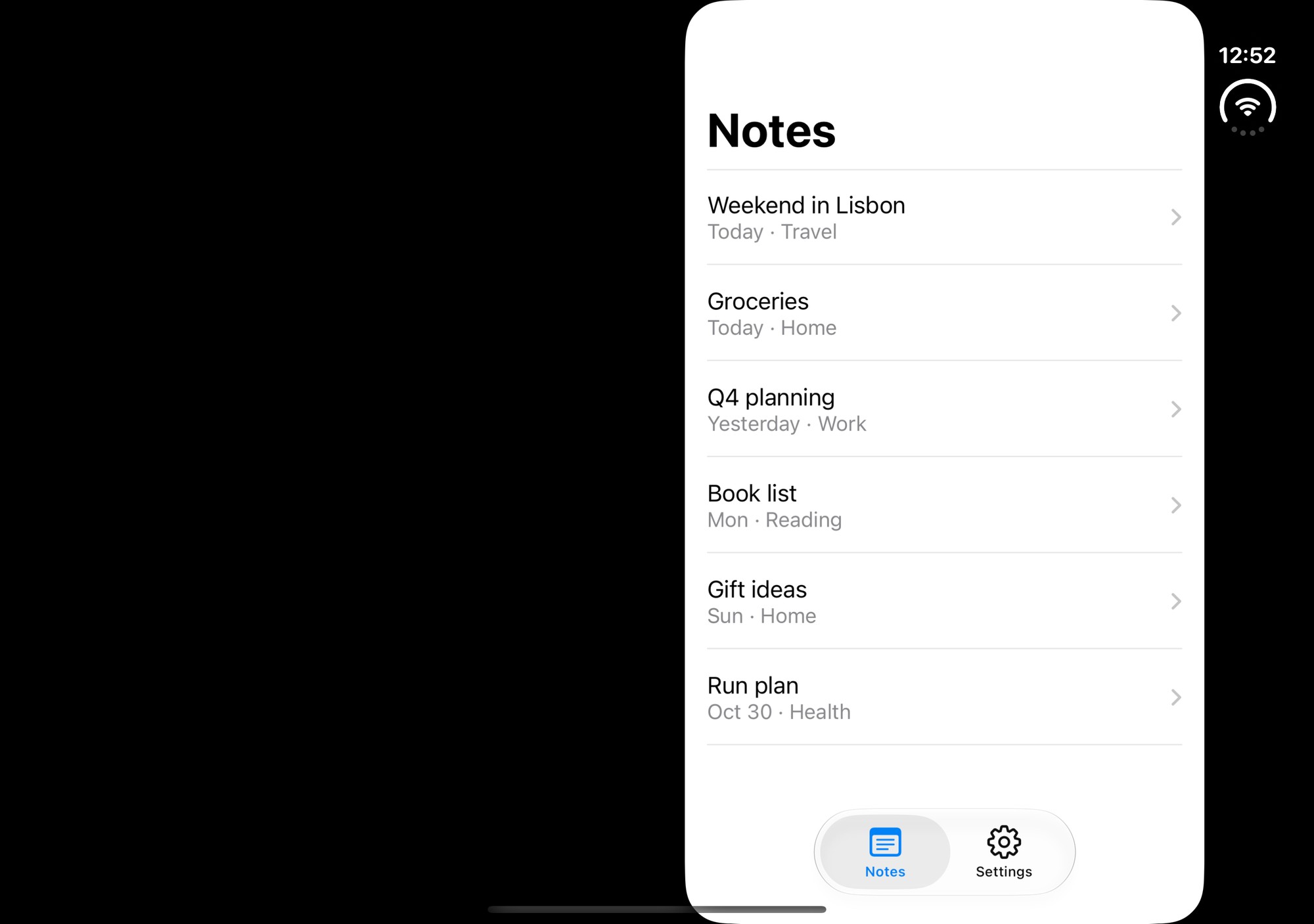
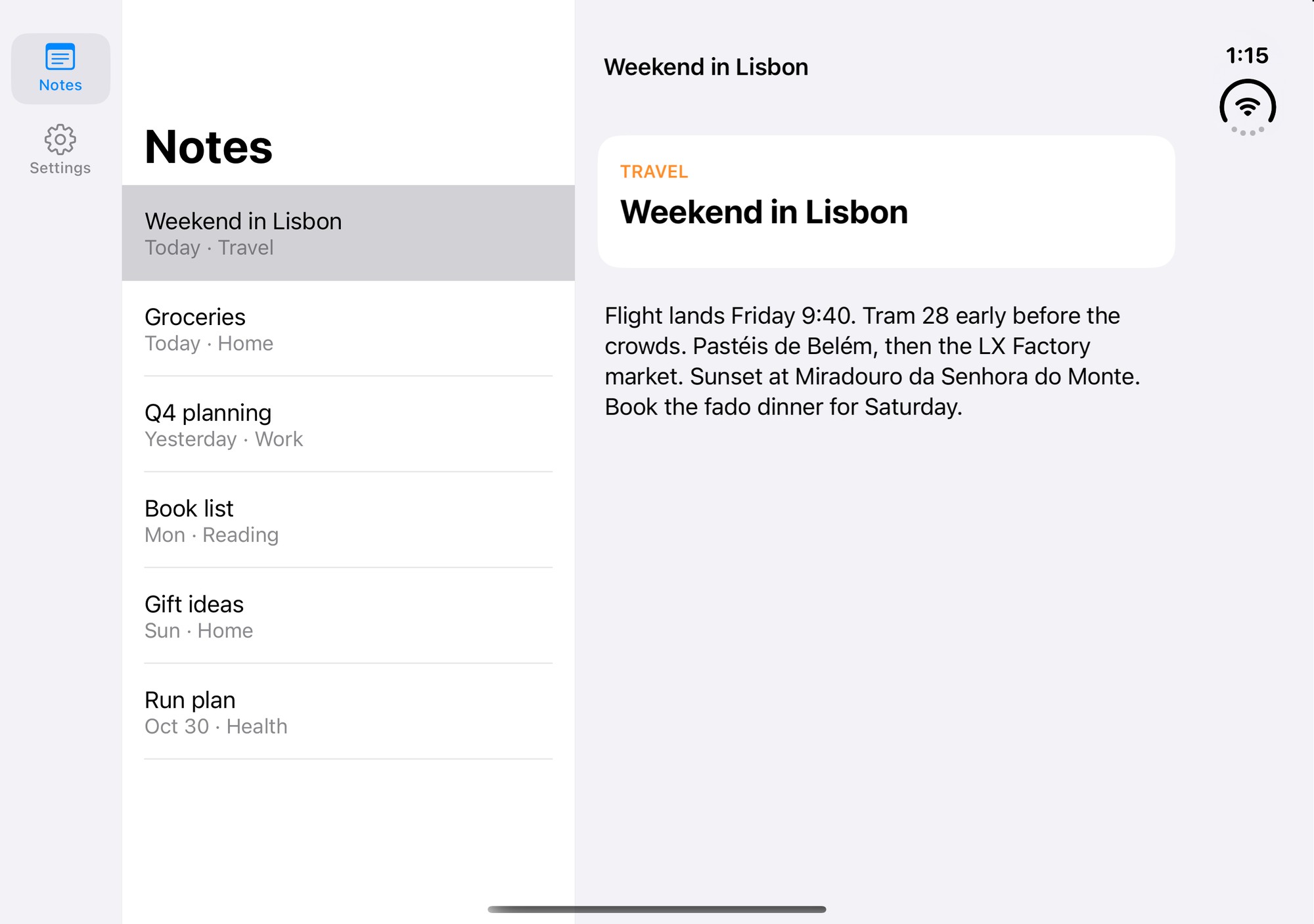
1.The app ignores every tap
Boxed app, dead taps, Apple's sheets still workWithout a UIApplicationSceneManifest in your Info.plist, UIKit runs the app in the legacy window mode and the Duo boxes it. On our app, every tap in our own UI died, while Apple's system sheets on top kept working, which makes it very confusing to debug.
UIKit: adopt scenes. Add the manifest and a SceneDelegate:
<key>UIApplicationSceneManifest</key>
<dict>
  <key>UIApplicationSupportsMultipleScenes</key>
  <false/>
  <key>UISceneConfigurations</key>
  <dict>
    <key>UIWindowSceneSessionRoleApplication</key>
    <array>
      <dict>
        <key>UISceneConfigurationName</key>
        <string>Default Configuration</string>
        <key>UISceneDelegateClassName</key>
        <string>$(PRODUCT_MODULE_NAME).SceneDelegate</string>
      </dict>
    </array>
  </dict>
</dict>
If a framework needs a key window at launch, adopt the AppDelegate's existing window in the scene delegate instead of building a second one. And forward openURLContexts from the scene delegate, or your deep links quietly stop working.
SwiftUI: the App life cycle is scene-based, but a hand-written Info.plist still needs the manifest, with no delegate class. Naming a SceneDelegate that doesn't exist breaks launch:
<key>UIApplicationSceneManifest</key>
<dict>
  <key>UIApplicationSupportsMultipleScenes</key>
  <false/>
  <key>UISceneConfigurations</key>
  <dict/>
</dict>
XcodeGen or Tuist: Info.plist is rewritten on every generate, so put the keys in project.yml / Project.swift, not the plist.
2.Still boxed after fixing it
Manifest is there, app is still letterboxedThe binary has to be built with Xcode 27.1 or later. Anything older runs on the Duo in compatibility mode. You can keep your current Xcode beside it and build with DEVELOPER_DIR=/Applications/Xcode-27.1.app/Contents/Developer. Check your cloud build image too: if EAS or CI builds with an older Xcode, your store build ships boxed.
3.Content runs under the clock
Text and buttons cut off on the rightOn the Duo the status bar is a strip down the right edge, so the safe area has a right inset (about 84pt unfolded). No iPhone has had one before, so most apps ignore it. Pad your screens with the left and right insets too, not only top and bottom. Anything sized from the window width (pagers, carousels, UIScreen.main.bounds, Dimensions.get('window')) comes out one strip too wide. Size it from its container instead. Check full-screen modals separately: they often start a new safe-area context.
4.The left pane is short on the right
Separators stop 84pt early in the left columnThe sneaky one. In a hand-built two-pane container, a view controller inside a UINavigationController in the left pane inherited the strip's right inset, even though that pane doesn't touch the right edge. Every view above it reported 0. Wrapping it didn't help, and neither did a negative inset on the navigation controller. What worked: measure the leaked inset on the child and cancel it there, in the container's viewDidLayoutSubviews:
// How much right inset the left pane's child inherited from the status strip.
let inherited = child.view.safeAreaInsets.right - child.additionalSafeAreaInsets.right
child.additionalSafeAreaInsets.right = unfolded ? -inherited : 05.The tab bar moved to the right edge
On iOS 27.1 a native UITabBarController or SwiftUI TabView turns into a vertical rail on the right edge, next to the status strip, by itself. That's fine for simple apps. If you add two-pane screens, a left sidebar usually reads better, so the list sits next to its navigation. JavaScript tab bars (React Navigation's JS tabs, custom bars) don't become a rail. They stay a bottom bar stretched across the whole screen, so build the sidebar yourself.
6.SwiftUI: the width check never passes
The usual "unfolded" rule is an iPhone whose window is at least 600pt wide. But a root GeometryReader reports the safe-area width, about 867pt unfolded instead of 951. Add the insets back before you compare:
GeometryReader { proxy in
    let width = proxy.size.width + proxy.safeAreaInsets.leading + proxy.safeAreaInsets.trailing
    let unfolded = UIDevice.current.userInterfaceIdiom == .phone && width >= 600
    // choose the layout from `unfolded`
}
And note that iPad-only checks (userInterfaceIdiom == .pad, Platform.isPad) never fire on the Duo. It's a phone. Add an unfolded branch beside them instead of reusing the iPad one.
7.Folding loses your place
The window resizes while the app runs, so the layout has to switch live. Keep the selected item in state above the layout switch: open note 3, fold, and note 3 should still be open full-screen. Swap the arrangement instead of remounting the screen, so scroll position and half-typed text survive. And when you unfold with nothing open, show the first item without recording it as selected, or folding again jumps into a detail the user never opened.
Testing it: there's no simctl command to fold the simulator. Use Device Hub's toolbar. And simctl openurl raises an "Open in…?" prompt that survives a reinstall, so headless link tests stall unless you add a debug launch argument instead.